Effective Email Account Management Strategies for Successful Mass Email Lists and Bulk Marketing Campaigns Without Triggering Spam Filters
Most bulk email campaigns do not fail because of bad offers or weak copy. They fail before a single recipient ever sees them. Inbox providers make filtering decisions in milliseconds, and those decisions are based on signals that most senders never audit: authentication alignment, sending velocity, list composition, complaint history, and dozens of behavioral patterns accumulated over weeks of sending activity. By the time a marketer notices that open rates have collapsed or that a domain has been blacklisted, the reputation damage is already done.
The senders who consistently achieve strong inbox placement share one characteristic: they treat email infrastructure as a core operational discipline, not an afterthought. They build their sending architecture deliberately, maintain their mass email lists with rigor, and monitor reputation metrics the same way a finance team monitors cash flow. Whether you are running a small outreach operation or scaling to millions of sends per month, the principles are the same - only the complexity changes.
This guide covers the full operational picture: how inbox filtering actually works, how to build and maintain sending infrastructure, how to keep mass email lists clean, how to warm up accounts properly, how to avoid the content and behavioral patterns that trigger spam filters, and how to scale without destroying the reputation you have built. Every section is practical and specific, oriented toward real decisions that real senders face.
Understanding the Email Deliverability Landscape
Inbox providers do not evaluate emails in isolation. Every message you send arrives as part of a larger sending history, and providers assess the trustworthiness of that history continuously. Understanding how that assessment works is not optional background knowledge - it is the foundation on which every other decision in this guide depends.
Modern filtering systems evaluate signals across three broad dimensions: the technical properties of the send (authentication, IP address, sending domain), the behavioral patterns generated by your sending activity over time (volume consistency, bounce rates, complaint rates, engagement rates), and the content of the email itself (HTML structure, link patterns, text composition). All three dimensions are weighted simultaneously. Optimizing one while neglecting the others is a reliable path to the spam folder.
Two concepts are especially important to distinguish. Domain reputation is cumulative and long-term - it reflects the full sending history associated with your domain and is extremely difficult to recover once seriously damaged. IP reputation is also important but generally recovers faster because IP addresses can be changed or reassigned. Many senders make the mistake of protecting their IP while unknowingly destroying the domain that matters more to their long-term operation.
Spam traps deserve specific attention. These are email addresses maintained by inbox providers and anti-spam organizations specifically to catch senders who are not managing their lists carefully. There are two main types: pristine traps, which are addresses that have never been used by a real person and exist only to catch list scrapers, and recycled traps, which are formerly valid addresses that inbox providers have converted after a period of inactivity. Hitting spam traps is not just a deliverability event - it signals to providers that your list acquisition or maintenance practices are inadequate.
Engagement-based filtering adds another layer of complexity. Providers like Gmail weight recipient behavior heavily: emails that are consistently opened, clicked, and replied to receive favorable placement, while emails that are ignored, deleted unread, or marked as unwanted accumulate negative signals over time. This means your list quality directly affects your sending reputation, not just your campaign metrics.
- Sender reputation operates at both domain and IP levels, with domain reputation carrying more long-term weight
- Pristine spam traps catch senders who use scraped or purchased data without validation
- Recycled spam traps catch senders who neglect list hygiene and fail to remove inactive addresses
- Engagement signals from recipients influence inbox placement independently of technical authentication
- Feedback loops, where providers report complaint data back to senders, allow reputation monitoring when properly configured
Understanding these mechanics reframes email account management from a reactive troubleshooting task into a proactive discipline. The decisions you make about infrastructure, list quality, and sending behavior are all reputation decisions - and reputation, once understood, becomes something you can actively manage rather than passively observe.
Building and Structuring Your Email Account Infrastructure
The architecture of your sending infrastructure determines your capacity ceiling, your risk exposure, and your ability to recover when something goes wrong. Senders who rely on a single domain, a single sending account, and a single IP address have created a single point of failure. One bad list segment, one spam trap hit, one complaint spike, and the entire operation is affected. Infrastructure design is fundamentally about compartmentalization.
Choosing Between Shared and Dedicated Sending Resources
Bulk email services typically offer two sending configurations: shared IP pools, where your emails go out alongside other senders on the same infrastructure, and dedicated IP addresses, which belong exclusively to your sending operation. The right choice depends on your volume, consistency, and tolerance for external risk.
Shared IP pools are appropriate for lower-volume senders who cannot generate enough consistent traffic to maintain a dedicated IP's reputation. The tradeoff is that you absorb some risk from the behavior of other senders on the same pool. If another sender on your shared IP runs a poorly managed campaign, your deliverability can be affected even if your own practices are sound.
Dedicated IPs offer full control over your sending reputation, but they require a deliberate warm-up process and consistent volume to function properly. An IP that sends large volumes sporadically - or one that goes silent for weeks at a time - will develop a reputation profile that works against inbox placement.
| Factor | Shared IP Pool | Dedicated IP Address |
|---|---|---|
| Reputation control | Partial - influenced by other senders | Full - determined by your sending alone |
| Warm-up required | No | Yes - gradual ramp-up required |
| Suitable volume | Low to medium | High and consistent |
| External contamination risk | Present | None |
| Typical cost | Lower | Higher |
Structuring Multiple Accounts for Volume and Risk Distribution
Even senders who have correctly chosen between shared and dedicated resources often make a second structural mistake: concentrating all sending activity on a single domain. When your primary business domain is also your bulk sending domain, any deliverability incident affects your transactional email, your customer service communications, and your core brand identity simultaneously.
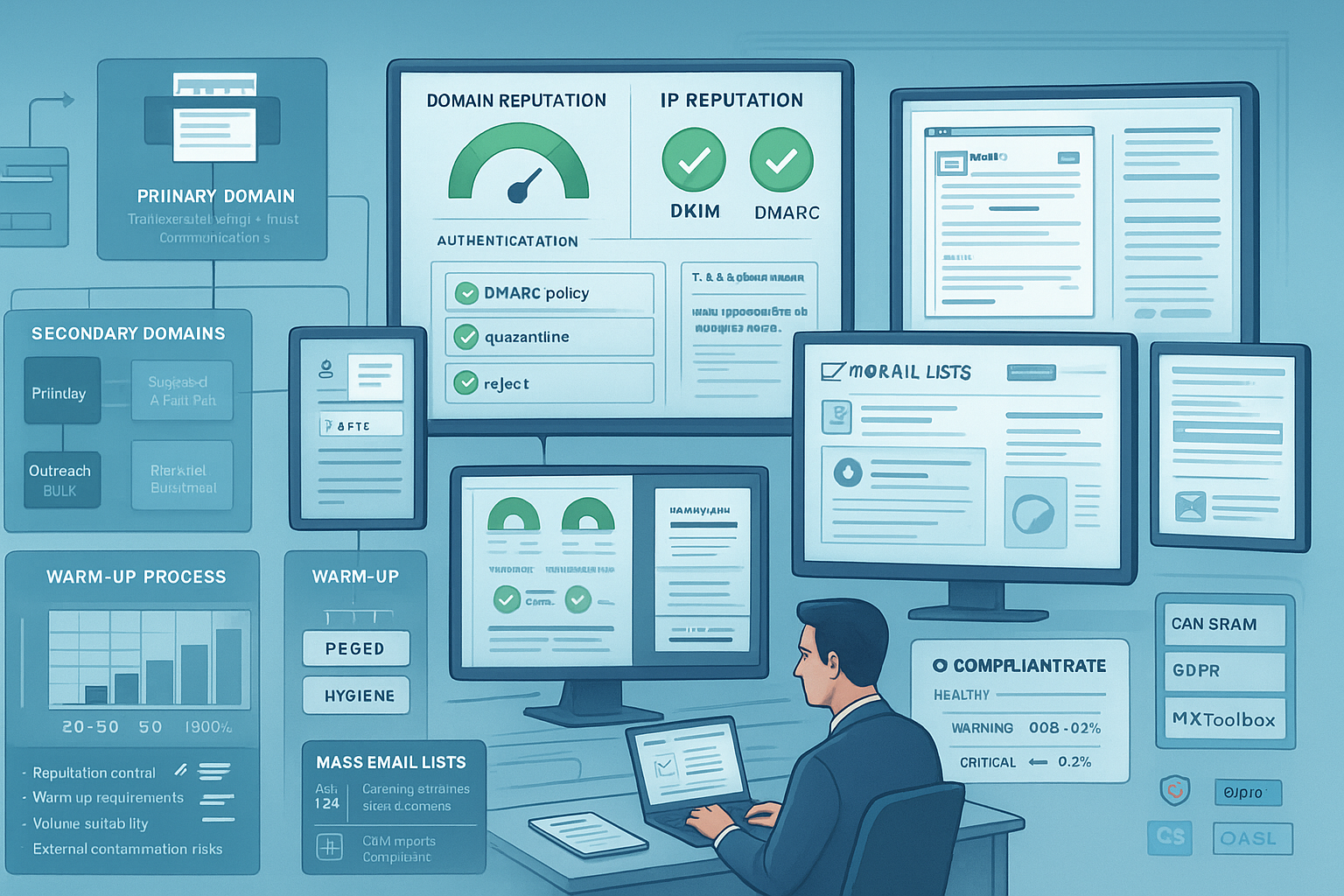
The solution is domain segmentation. A well-structured operation uses the primary domain exclusively for high-value, high-trust email - transactional messages, account notifications, customer support. Separate sending domains handle outreach, promotional campaigns, and cold contact. These secondary domains are often referred to as subdomain or subdomain-adjacent infrastructure, but in practice they are usually entirely separate registered domains that share brand signals without sharing reputation exposure.
Senders scaling up volume often look for efficient ways to expand their sending capacity. Many operators find it practical to source bulk email accounts that can be warmed up and rotated into active campaigns, distributing sending load and reducing the risk concentrated in any single account or domain. This approach, when managed carefully with proper authentication and disciplined warm-up schedules, can significantly extend operational capacity without proportionally increasing risk.
- Primary domain: reserved for transactional email and high-trust communications only
- Secondary sending domains: dedicated to outreach, promotional, and cold campaigns
- Rotation accounts: newly warmed accounts introduced progressively to absorb additional volume
- Test accounts: isolated infrastructure used for content testing before production deployment
Domain Authentication: SPF, DKIM, and DMARC Setup
Authentication is the technical handshake between your sending infrastructure and the inbox providers evaluating your mail. Without properly configured SPF, DKIM, and DMARC records, your emails arrive with fundamental credibility gaps that filters use as negative signals - regardless of your list quality or content.
SPF (Sender Policy Framework) specifies which servers are authorized to send email on behalf of your domain. DKIM (DomainKeys Identified Mail) applies a cryptographic signature to outgoing messages that allows receiving servers to verify the email was not altered in transit. DMARC (Domain-based Message Authentication, Reporting, and Conformance) ties these two together and tells receiving servers what to do when messages fail authentication checks.
The configuration sequence matters. A common mistake is publishing a DMARC policy set to "reject" before confirming that SPF and DKIM are fully aligned - which can silently drop legitimate email from your own authorized senders. Start with a monitoring-only DMARC policy, analyze the reporting data, confirm alignment, and only then tighten enforcement.
- Publish an SPF record in DNS that explicitly authorizes all servers used to send your email
- Generate DKIM key pairs and configure them for every sending domain in use
- Verify that your From domain aligns with the domains covered by SPF and DKIM
- Deploy an initial DMARC record with a "none" policy and a reporting address configured
- Review DMARC reports for at least two to four weeks to identify authentication gaps
- Progressively tighten DMARC policy to "quarantine" then "reject" only after full alignment is confirmed
One additional technical detail worth implementing: BIMI (Brand Indicators for Message Identification) is a newer standard that allows verified senders to display a brand logo in compatible email clients. It requires a DMARC policy at enforcement level and a verified mark certificate. While not universally supported, it adds a visible trust signal in clients that do support it.
Building, Segmenting, and Maintaining Quality Mass Email Lists
Infrastructure without list quality is like a delivery truck with no useful cargo. The composition of your mass email lists determines not just campaign performance but the reputation signals your infrastructure generates with every send. A list full of inactive addresses, invalid contacts, and spam traps will produce bounces, complaints, and trap hits that damage sender reputation faster than almost any other variable.
Ethical and Effective List Building Methods
Permission-based list building produces contacts who expect your email, which translates directly into the positive engagement signals that inbox providers use to evaluate sender trustworthiness. Double opt-in - where a subscriber confirms their address by clicking a verification link - provides the strongest signal of genuine interest and also eliminates typos and fraudulent signups at the point of collection.
Beyond double opt-in forms on owned web properties, effective list building sources include gated content such as guides or reports, webinar registrations, event signups, and CRM integrations that capture contacts from existing customer relationships. Each of these sources produces contacts with a documented reason for receiving your email, which matters both for engagement quality and for regulatory compliance.
When working with third-party or purchased data, the risk profile changes substantially. These lists frequently contain addresses that have changed hands, gone inactive, or transitioned into spam traps. They may also include what are effectively spam email accounts - addresses associated with fraudulent registrations or known malicious activity. Running any external data through professional validation before a first send is not a best practice; it is a minimum requirement for protecting your sending infrastructure.
- Double opt-in signup forms with immediate confirmation emails
- Gated content downloads with clear email consent at the point of access
- Webinar and event registrations with email frequency expectations disclosed
- CRM imports from existing customer relationships with verified contact history
- Third-party data only after rigorous validation and small-segment testing
List Segmentation for Improved Engagement and Deliverability
Sending the same message to every contact on your list is both a missed opportunity and a deliverability risk. Contacts who receive irrelevant content ignore it - and mass ignoring is a measurable negative signal that inbox providers track. Segmentation allows you to send content that is relevant to specific subsets of your list, which improves both conversion rates and the engagement patterns that support inbox placement.
The most impactful segmentation dimension is engagement recency. Contacts who have opened or clicked within the past 30 to 60 days should be treated differently from contacts who have not engaged in six months. Sending your highest-volume or highest-risk campaigns to recently engaged contacts first establishes positive engagement signals with inbox providers before the same message reaches less active segments.
- Engagement recency: last open or click date, with tiers for 30, 60, 90, and 180-day windows
- Lead source: contacts acquired through different channels often have different engagement patterns
- Behavioral triggers: purchases, downloads, page visits, or other actions that indicate intent
- Geographic or demographic attributes relevant to your campaign type
- Campaign type: promotional messages, informational content, and cold outreach each warrant separate segments
List Hygiene: Validation, Suppression, and Re-engagement
Email lists decay naturally over time. Addresses change, people abandon accounts, and inbox providers convert inactive addresses into spam traps. Industry experience consistently suggests that a meaningful portion of any list becomes unreliable within a year of collection - a figure that varies by acquisition source and list age but is large enough that ongoing hygiene cannot be treated as optional.
The hygiene workflow has two components: automated processes that run continuously as part of your sending infrastructure, and periodic full-list audits that catch problems the automated layer misses.
- Validate all new addresses through an email verification service before the first send
- Suppress hard bounces immediately and permanently after a single occurrence
- Flag soft bounces and suppress the address after three consecutive failures
- Tag contacts who have not opened or clicked in 90 days as low-engagement for separate handling
- Run a re-engagement campaign to dormant contacts before final suppression
- Suppress any contact who does not respond to re-engagement outreach
- Conduct a full-list validation audit at least quarterly using a dedicated hygiene service
Re-engagement campaigns serve a dual purpose. They recover a percentage of contacts who genuinely want to remain on the list but have simply been inactive. More importantly, they give you a defensible basis for suppression: contacts who receive a clear re-engagement message and do not respond have effectively self-selected out of your active audience. Removing them improves list quality without guesswork.
Email Account Warm-Up and Sending Behavior Strategies
A new sending domain or account has no reputation history. From an inbox provider's perspective, that absence of history is itself a signal - and high-volume sending from an unestablished sender is a pattern strongly associated with spam operations. Warm-up is the process of building a credible sending history before the infrastructure needs to carry production volume.
Warming Up New Email Accounts and Domains
The warm-up process works by sending small volumes initially to your most engaged, most reliable contacts - the ones most likely to open, click, and reply. Positive engagement from these early sends creates a favorable reputation baseline that makes inbox providers more willing to accept larger volumes as the ramp-up progresses.
The specific schedule varies depending on target volume, but the underlying principle is consistent: start small, send to your best contacts, and increase volume gradually over a period of several weeks. Rushing this process - attempting to skip from low to high volume in under two weeks - almost always produces filtering problems that then require additional time to recover from.
| Week | Daily Send Volume | Target Contacts | Primary Goal |
|---|---|---|---|
| 1 | 20-50 | Most engaged, known contacts | Establish initial positive signals |
| 2 | 100-200 | Actively engaged list segments | Build domain sending history |
| 3 | 500-1,000 | Warm list contacts | Scale volume safely |
| 4 and beyond | Gradual doubling each week | Progressively broader segments | Approach target production volume |
Automated warm-up tools can accelerate this process by simulating engagement signals between controlled accounts. These tools are useful but should be understood as supplements to genuine engagement, not replacements for it. Real engagement from real recipients carries more weight with inbox providers than simulated interactions.
Managing Sending Frequency and Volume Across Accounts
Once accounts are fully warmed, the challenge shifts to maintaining consistent, predictable sending patterns. Inbox providers track sending velocity over time, and significant unexplained spikes - sending ten times your normal daily volume without a corresponding warm-up - trigger the same suspicion as a new account sending at high volume from day one.
Distributing volume across multiple sending accounts and domains is the primary mechanism for managing this risk at scale. Rather than routing all traffic through a single account and creating vulnerability to sudden volume spikes, mature email marketing campaigns spread the load across several sending identities, each operating within its established volume profile.
- Set rate limits within your bulk email services to prevent accidental volume spikes during campaign execution
- Schedule large campaign sends over multiple days rather than attempting single-day deployment at maximum volume
- Monitor bounce rates and complaint signals in real time during active sending and pause if thresholds are crossed
- Maintain consistent sending cadence between campaigns - extended periods of silence followed by sudden high volume damage reputation
- Assign different campaign types to different sending accounts to prevent behavioral contamination
Avoiding Spam Filters: Content, Technical, and Behavioral Factors
Spam filtering operates across three dimensions simultaneously: technical signals from your sending infrastructure, behavioral patterns from your sending history, and content signals from the email itself. A sender with excellent authentication and a clean list can still face deliverability problems if their email content triggers content-based filters. All three dimensions require active management.
Email Content Best Practices
Content filtering has evolved well beyond keyword blacklisting. Modern filters analyze the structural properties of your HTML, the ratio of text to images, the linking patterns within the message, the relationship between your subject line and body content, and how your email compares to patterns associated with known spam in their training data.
A high image-to-text ratio is a persistent filter trigger because spam operations historically used image-heavy emails to evade text-based filters. Most practitioners recommend maintaining at least 60% text content relative to images, though the exact threshold varies by inbox provider. More importantly, every image should serve a clear communicative purpose - decorative imagery that adds no informational value adds only risk.
- Maintain a text-heavy content balance with images used purposefully rather than decoratively
- Avoid subject line patterns associated with urgency manipulation: excessive punctuation, all-caps words, or pressure phrases
- Use branded, full-domain links for primary calls to action rather than shortened URLs
- Ensure HTML is clean and well-structured - broken or excessively complex markup is itself a filter signal
- Place the unsubscribe link where recipients can find it easily, not buried in minimally visible text
- Personalize meaningfully using recipient data, not just a first-name token inserted into a generic message
One frequently overlooked content factor is consistency between the From name, the subject line, and the email body. Messages where these three elements feel misaligned - where the subject line promises something the body does not deliver, or where the sender identity seems inconsistent with the content - generate higher complaint rates and raise filter suspicion.
Monitoring and Responding to Spam Complaints
Every time a recipient marks your email as spam, that action is recorded and reported back to inbox providers. Complaint rates are one of the most direct reputation signals available, and providers have established clear thresholds at which they begin filtering or blocking mail from affected senders.
For Gmail specifically, the complaint rate threshold for bulk email marketing campaigns has been publicly communicated: rates approaching 0.3% trigger active filtering intervention. The acceptable operating range is well below 0.1%. For other major inbox providers, complaint thresholds vary but the principle is consistent - complaint rates above roughly 0.1% warrant immediate investigation.
| Complaint Rate | Status | Recommended Action |
|---|---|---|
| Below 0.08% | Healthy | Maintain current practices, continue monitoring |
| 0.08%-0.2% | Warning zone | Investigate list quality, content relevance, and targeting |
| Above 0.2% | Critical | Pause sending, identify root cause, remediate before resuming |
Complaint monitoring tools provided directly by inbox providers give the most accurate complaint rate data for their respective platforms. These tools also surface domain and IP reputation scores that are otherwise opaque, making them essential monitoring resources for any serious bulk sending operation.
Long-Term Email Account Management and Reputation Maintenance
Deliverability is an ongoing operational discipline, not a configuration you complete once and then ignore. Reputation degrades when left unmonitored, and the senders who maintain strong inbox placement over time are those who have built systematic monitoring and response processes into their regular workflow.
Monitoring Tools and Deliverability Dashboards
The most dangerous deliverability problems are the ones you do not notice until significant damage has accumulated. By the time open rates visibly collapse, the underlying reputation signal has often been deteriorating for weeks. Proactive monitoring creates early warning systems that surface problems before they become crises.
Inbox providers offer free monitoring tools that provide direct visibility into how they evaluate your mail. These tools report domain and IP reputation scores, complaint rate data, authentication pass rates, and delivery outcomes - information that would otherwise be completely invisible to senders. Configuring these tools and reviewing their dashboards regularly is a foundational practice.
- Postmaster Tools (Gmail): domain reputation score, IP reputation, spam rate, authentication results for Gmail traffic
- SNDS (Microsoft): reputation signals and filtering status for traffic to Outlook and Hotmail addresses
- MXToolbox: blacklist status monitoring, DNS record validation, email header analysis
- Your bulk email service's internal analytics: bounce categorization, complaint rates, engagement rates by campaign and segment
- Third-party deliverability platforms: broader ISP coverage, inbox placement testing, and reputation trend analysis
Handling Blacklistings and Reputation Recovery
Blacklistings happen even to well-managed sending operations, particularly during periods of rapid scaling or following an unexpected list quality event. The critical factor is response speed: the longer a blacklisting goes unaddressed, the more secondary reputation damage it can cause as other systems reference the same blacklist data.
Effective recovery requires identifying the root cause before submitting any delisting request. Providers who receive delisting requests without evidence that the underlying problem has been corrected often re-list the sender within days. Demonstrate that you have identified and fixed the issue - whether that means suppressing a problematic list segment, correcting a configuration error, or adjusting sending behavior - before initiating the delisting process.
- Identify which blacklists are affecting deliverability using monitoring tools and header analysis
- Investigate root cause: trace the problem to a specific list segment, sending account, or behavior pattern
- Suppress or remove the problematic contacts and stop the behavior that triggered the listing
- Document the corrective actions taken with specifics, not generalizations
- Submit a delisting request through the official process for each relevant blacklist operator
- Monitor inbox placement and complaint rates closely for at least two weeks after delisting is confirmed
Compliance With CAN-SPAM, GDPR, and Other Regulations
Regulatory compliance and deliverability are not separate tracks. Inbox providers actively align many of their filtering criteria with the behavioral standards embedded in major email regulations. Emails that violate CAN-SPAM formatting requirements - missing physical address, no visible unsubscribe mechanism, deceptive header information - are also emails that generate higher complaint rates and lower engagement, both of which affect filtering outcomes independently of the legal risk.
The regulatory landscape for email marketing campaigns has also expanded in complexity. CAN-SPAM governs commercial email sent to US recipients. GDPR applies to any email sent to individuals in the European Union, regardless of where the sending organization is located, and imposes strict consent documentation requirements. Canada's CASL applies similarly to Canadian recipients with its own consent standards. Operating across multiple jurisdictions without understanding how each framework applies to your contact base is a meaningful legal and operational risk.
- CAN-SPAM: accurate sender identification in headers and From field, physical postal address in every commercial email, functioning opt-out mechanism honored within ten business days
- GDPR: documented lawful basis for processing contact data, explicit consent records for EU recipients, data subject rights including erasure on request
- CASL: express or implied consent for Canadian recipients, sender identification, unsubscribe mechanism with processing within ten business days
- All frameworks: honor unsubscribe requests completely and promptly across all sending accounts associated with your organization
Scaling Bulk Email Campaigns Safely Over Time
The strategies that work reliably at moderate sending volumes do not automatically transfer to high-volume operations. Scaling introduces new infrastructure demands, new list quality risks, and new behavioral patterns that filtering systems evaluate differently than the patterns of a smaller sender. Treating scaling as purely a volume increase - without adjusting infrastructure, monitoring, and risk management accordingly - is one of the most common causes of deliverability failure at the growth stage.
Before any significant volume increase, the first step is an honest audit of current infrastructure capacity. What are the per-account and per-domain sending limits? How many warmed sending identities are available to absorb additional volume? What do current complaint and bounce rates look like at existing volume - because if they are already marginal, they will only worsen under increased load?
- Audit infrastructure capacity across all sending accounts, domains, IPs, and ESP limits
- Assess list quality across all active segments before committing to higher volume
- Add sending capacity - new domains and accounts - and warm them up fully before assigning production traffic
- Implement sending throttles and per-account volume caps to prevent accidental spikes during campaign execution
- Establish baseline monitoring metrics at current volume before beginning the scale-up
- Define rollback thresholds: the complaint rate, bounce rate, or engagement decline that triggers an automatic send pause
| Current Monthly Volume | Target Monthly Volume | Recommended Scaling Period | Primary Risk Factor |
|---|---|---|---|
| 10,000 emails | 50,000 emails | 4-6 weeks | List quality degradation at higher volume |
| 50,000 emails | 250,000 emails | 6-10 weeks | Insufficient warm-up capacity across domains |
| 250,000 emails | 1,000,000+ emails | 10-16 weeks | Infrastructure architecture and ESP rate limits |
One discipline that high-volume senders consistently practice is isolating variables during the scale-up process. Introducing new content, a new list segment, and a new sending account simultaneously makes it impossible to identify which variable caused any deliverability change. Change one significant factor at a time, observe the effect across at least several sending days, and only then introduce the next variable. This approach slows down the pace of experimentation but dramatically improves the reliability of what you learn from each test.
Effective email account management at scale also requires formal documentation of your sending infrastructure: which domains serve which campaign types, which accounts are in warm-up versus production status, what the alert thresholds are for each monitoring metric, and who is responsible for responding when a threshold is crossed. Operations that exist only in institutional memory become fragile as teams grow or change. A documented infrastructure map is not administrative overhead - it is the operational backbone of a sustainable bulk email program.
Questions and Answers
How quickly can a domain reputation be recovered after a serious deliverability incident?
Domain reputation recovery timelines vary depending on the severity of the incident and the actions taken to correct it. Minor incidents - a single campaign with elevated complaints that is quickly identified and stopped - may recover within two to four weeks of clean sending behavior. Serious incidents involving spam trap hits, blacklistings, or sustained high complaint rates can take two to three months of disciplined, low-risk sending before inbox providers fully restore favorable placement. There is no shortcut: reputation is rebuilt through consistent positive behavior over time.
What is the practical difference between a hard bounce and a soft bounce for list management purposes?
A hard bounce indicates a permanent delivery failure - the address does not exist, the domain is invalid, or the recipient server has permanently rejected the address. These should be suppressed immediately after a single occurrence and never contacted again. A soft bounce indicates a temporary failure - a full inbox, a server that was briefly unavailable, or a message that exceeded a size limit. Soft bounces require monitoring across multiple sends; suppression is appropriate after three or more consecutive failures, at which point the temporary problem has likely become permanent.
Can rotating through multiple sending domains indefinitely protect against spam filtering?
Rotation distributes risk but does not eliminate it. Each domain in a rotation still builds its own reputation profile, and a domain that consistently generates complaints, bounces, or trap hits will face filtering regardless of how many other domains are in the rotation. Inbox providers have also become increasingly sophisticated at identifying domain rotation patterns used specifically to evade reputation tracking. Rotation is a legitimate risk management and scaling tool, but it only works sustainably when every domain in the rotation is managed with the same standards as a single primary domain.
How many emails per day can a newly warmed account send before it risks triggering filters?
There is no universal threshold because it depends on the inbox provider mix of your recipients, the engagement quality of your contacts, and the authentication configuration of the sending domain. As a practical orientation, most senders treat 500 to 1,000 emails per day as the upper limit for a domain in its third week of warm-up, with volume increasing gradually thereafter. The signal to watch is not just volume but the response to that volume - if complaint rates or bounce rates rise as you increase sends, slow the ramp-up rather than push through the resistance.
Is it worth investing in BIMI for bulk email operations?
BIMI (Brand Indicators for Message Identification) displays a verified brand logo in supporting email clients, adding a visible trust signal at the inbox level. The investment involves obtaining a verified mark certificate and maintaining a DMARC enforcement policy, both of which require operational maturity to sustain. For senders already operating with strong authentication and established domain reputation, BIMI adds a meaningful credibility layer in clients that support it. For senders still stabilizing their authentication or deliverability fundamentals, BIMI is a refinement to pursue after the core infrastructure is solid.